 EN
EN


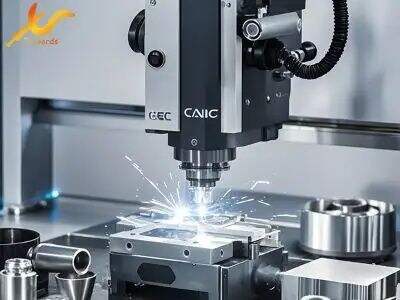
CNC machines are really important tools in manufacturing. They help making parts and products with very high precision. But sometimes when you run CNC programs, things go wrong. Errors can happen, and machine make mistakes or even stop. To fix this kind of issues, simulation software is useful. This software let you see how program will run before using real machine, so you can spot problems early. At Swords Precision, we know how important it is to troubleshoot these errors good. So in this, we will talk about finding common CNC program execution errors and using simulation software to solve those problems
When working with CNC machines, errors during program running is quite common
Knowing how identify them can save lot of time and also materials. Simulation software is handy for that. First you run your CNC program inside the software. While it runs, watch for strange movements. If tool go off path or collide with material, thats big red flag. Also check warnings or error messages show up. For example if program try cut too deep, software should alert you. Another usual problem is tool speed or feed rate set wrong. Simulation help you see this clearly. If tool move too fast, it can break or damage the part. By checking these things, you catch errors before they happen for real. Its like practice dance before big show—you don't want mishaps! With Swords Precision, we try help you understand these errors and spot them easy
Once you find errors with simulation software, next is to fix them properly. First look at program and see where mistakes are. Common one is wrong coordinates for tool path. You can change these in software. If path look okay but speeds wrong, adjust those also. Sometimes better run test with simple shape first, like square or circle, before complex ones. This way basic movements checked correctly. Also good to look user manual of machinee or software. They usually have tips for fix common issues. If still stuck, don't hesitate call for support. At Swords Precision we here to help. We guide you through troubleshooting and make sure you feel confident with simulation software. With some practice, you get better spotting and fixing errors fast. This save time and make sure finished products have high quality
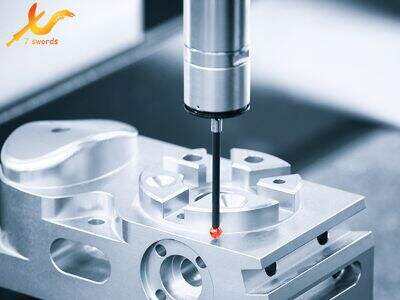
What Common CNC Program Errors Wholesale Buyers Should Watch For
For wholesale buyers using CNC machines, need be aware of common errors in program execution. One most typical is G-code mistake. G-code is instructions tell Machine what do. If typos or wrong commands in G-code, machine not work right. For example command say move to point but numbers wrong, machine crash or not move. This waste time and material. Another error is incorrect tool paths. Tool path is route cutting tool take. Wrong path mean cut in wrong places, damage parts. Also watch feed rate. Feed rate how fast tool move while cutting. Too fast can break tool or ruin material. Lastly wrong machine settings cause many problems. Important check setup correct for job. If settings not right, products poor quality. By know these errors, wholesale buyers prepare better and fix issues quick so production run smooth
How to Optimize CNC Program Performance Using Simulation Tools
Using simulation tools smart way make sure CNC programs work good before real machine. Simulation software create virtual model of CNC machine and program. So you test on computer see if errors. Its like practice run, find problems without waste material or time. When use simulation, essential check tool paths carefully. Software show how cutting tool move, see if go right place. If mistake, fix before machine start. Another way optimize is check machine settings in software. Simulation should match real settings, so see how speeds and feeds affect cutting. This ensure program run smooth. Also simulation help know how long job take. Important for planning and scheduling. By know time, buyers manage better and keep customers happy. Lastly simulation tools good for train new operators. They practice on software understand machine without risk mistake on real one. This make new team members learn easier and become good operators
Where to Access Top-Rated Simulation Software for CNC Programs
Finding good simulation software for CNC important for who work with these machines. One way is online research. Many websites give reviews and compare different software. Read them help know which best for your need. Swords Precision also give recommendations and resources find high-quality simulation software. Visit their website see features of various options. Many company offer free trials, so test before buy. Great way see if suit your CNC machines and programs. Another option join online forums or CNC communities. These groups share tips and experience with software. You ask questions get advice from experience users. Going to trade shows or industry conferences another way explore simulation tools. There see demos and talk representatives what they offer. Direct talk help make better choice. Lastly always think customer support when choose software. Good support mean help if problem. With right tools and resources, CNC programs run smooth, help business success